The creative toolbox

Every creative tool. One connected workspace.

Make original images, put stories into motion, create narration, shape a campaign and finish your media. Find the right starting point for what you want to make.

✓ Browse without signing in✓ Customer-focused guides✓ Explore published pricing ↗
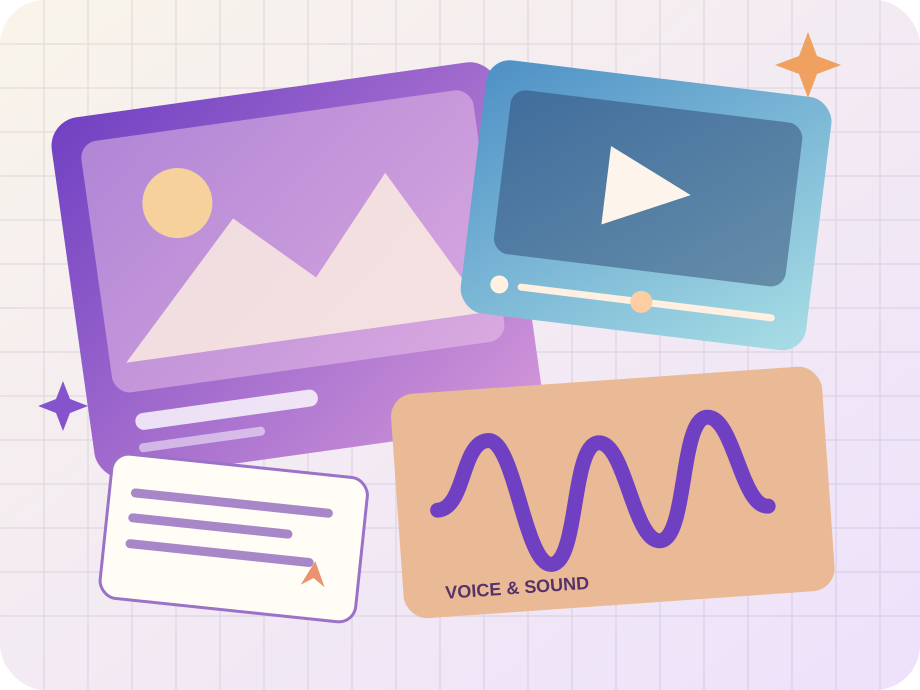
Original illustration bringing image, video, voice and creative work togetherFind your next idea ✦

The complete toolbox

Find a tool for the job.

Search by the outcome you want, the material you have, or the Studio you already know. Browse every major workspace tool without signing in.

28 matching tools

Image & Design

Create an original image, then make every detail count.

Image Studio original illustrated artworkImage & Design

Image Studio

Make the image you can imagine.

Turn an idea into campaign concepts, product visuals, original illustrations and expressive art. Add references when the chosen model supports them.

Text-led creationReference-aware workflowsModel-specific aspect ratios and output settings
Precision Image Studio original illustrated artworkImage & Design

Precision Image Studio

Keep the original. Improve the details.

Work from an existing image to crop, resize, transform and use model-supported AI retouching in a more controlled editing workflow.

Crop and resizeRotate and transformAI-assisted retouching where supported

Video & Motion

Put ideas, portraits and still images into motion.

Video Studio original illustrated artworkVideo & Motion

Video Studio

Give your ideas a moving story.

Describe a scene or start with reference imagery to create clips, explore motion and build a more compelling campaign.

Text-to-videoImage- and frame-led generationModel-aware duration and format settings
AI Spokesperson original illustrated artworkVideo & Motion

AI Spokesperson

Give your message a face.

Create a portrait-led presenter video using approved source imagery and driving audio, with the controls supported by the active avatar workflow.

Portrait-driven workflowDriving-audio inputModel-aware output controls
Video Editing Desk original illustrated artworkVideo & Motion

Video Editing Desk

Make every second work harder.

Bring clips into one editing desk to trim, reorder and prepare a coherent finished video instead of treating each generation as an isolated output.

Timeline-based clip orderingTrimming and previewSupported media adjustments

Audio & Speech

Make your words sound like they mean something.

Voice Studio original illustrated artworkAudio & Speech

Voice Studio

Find the voice behind the story.

Transform written copy into narration using available voices and the supported speech controls, then carry the audio into your creative project.

Text-to-speechVoice selectionSupported pacing and speech controls
Audio Generation original illustrated artworkAudio & Speech

Audio Generation

Shape audio around the feeling.

Use the dedicated advanced audio workspace for model-supported prompt-directed sound and voice generation, including reference-led workflows where available.

Dedicated audio generation workspacePrompt and supported referencesModel-specific controls
Speech / Transcription original illustrated artworkAudio & Speech

Speech / Transcription

Turn spoken content into something usable.

Convert source recordings into readable text and available subtitle formats for editing, review and accessible distribution.

Audio and supported video inputSpeech transcriptionSRT and VTT export
Voice Casting Booth original illustrated artworkAudio & Speech

Voice Casting Booth

Cast a voice before recording the story.

Audition, compare and choose from verified voice options so a narration begins with the right creative direction.

Voice catalogueAudition and comparisonVerified voice options

Creative Intelligence

Shape the idea before you spend time creating it.

Character Chat original illustrated artworkCreative Intelligence

Character Chat

Converse with a character, not a blank prompt.

Explore ideas and dialogue through persona-led conversations with model-dependent capabilities and optional voice experiences.

Multi-turn persona conversationsBuilt-in and custom personasSupported voice interactions
Creative Director original illustrated artworkCreative Intelligence

Creative Director

Start with direction, not guesswork.

Turn a rough campaign brief into clearer creative ideas, scene direction and structured production planning before creating media.

Creative brief developmentConcept and shot directionStoryboard-oriented planning
Scriptwriter original illustrated artworkCreative Intelligence

Scriptwriter

Get your message into the right words.

Develop commercial scripts, dialogue and story outlines in a focused writing workspace designed for iteration.

Script draftingDialogue and narrative variantsIterative revisions
Brand & Story original illustrated artworkCreative Intelligence

Brand & Story

Keep every creative decision on-brand.

Develop your brand's creative voice and plan story structure so the next campaign grows from a clear, consistent direction.

Brand-focused assistantsStory planningCharacter and narrative development
Generation Templates original illustrated artworkCreative Intelligence

Generation Templates

Start with a creative recipe.

Browse illustrated, reusable starting points that carry a brief and validated defaults into the relevant Studio without making you operate another composer.

Illustrated template galleryTask-focused starting pointsDirect Studio activation

MediaKit & Finishing

Prepare, transform and refine media for delivery.

MediaKit Tools original illustrated artworkMediaKit & Finishing

MediaKit Tools

Give existing media its finishing touches.

Discover the available processing tools for image and video preparation, from compression and cropping to other published media operations.

Categorized image operationsVideo-finishing operationsSource media validation

A little direction

Not sure where to start?

Tell us the result you want and what you have to work with. This local guide recommends real workspace tools. It does not upload files or send your answers to an AI provider.

Original illustrated collage of creative workflows

Find my creative tool

Two quick questions. No sign-in required.

1. What would you like to do?

At a glance

Choose with confidence.

Each tool has its own job, but your creative work can continue across the workspace. These are representative workflows, not a promise that all provider models support every input.

ToolStarting pointBest forLearn more
Image StudioDescribe the visual and its intended audience.Product launches, advertising visuals, moodboards and social posts.Explore ↗
Precision Image StudioChoose or upload the image you own or may use.Product image revisions, layout changes and finishing campaign imagery.Explore ↗
Video StudioStart with a scene description or a supported media input.Short-form campaigns, product reveals, concept films and animated photographs.Explore ↗
AI SpokespersonSupply a portrait with appropriate rights and consent.Explainers, product introductions and presenter-led promotional content.Explore ↗
MediaKit ToolsChoose a currently enabled operation.Final asset preparation, image transformations and supported video processing.Explore ↗
Video Editing DeskChoose video assets from your workspace.Social ads, short sequences and assembly of multiple generated clips.Explore ↗
Voice StudioWrite or paste the narration.Advertisement narration, explainers, social videos and spoken content.Explore ↗
Audio GenerationChoose the advanced audio workflow.Expressive audio ideas and creative voice-production experiments.Explore ↗
Speech / TranscriptionChoose an eligible audio or video file.Video captions, interviews and speech-to-text workflows.Explore ↗
Voice Casting BoothExplore the available voice catalogue.Brand narration, character direction and repeatable voice selection.Explore ↗
Character ChatChoose a persona and an enabled conversation model.Character development, dialogue practice and creative roleplay.Explore ↗
Creative DirectorDescribe your objective and audience.Agencies, promotional campaigns, concept development and storyboards.Explore ↗
ScriptwriterDescribe the audience, format and message.Short video ads, brand storytelling and production scripts.Explore ↗
Brand & StoryChoose the brand or story task.Brand teams, story development and campaign continuity.Explore ↗

One connected workflow

From brief to campaign.

The most useful work often involves more than one tool. Develop a concept, generate a visual, build motion, add narration and keep the result together.

Understand generation pricing →
  1. 01

    Shape the direction

    Start from a clear creative brief.

    Explore ↗
  2. 02

    Make the campaign visual

    Create imagery with model-supported references.

    Explore ↗
  3. 03

    Bring it to life

    Explore movement and sequence.

    Explore ↗
  4. 04

    Give it a voice

    Create the accompanying narration.

    Explore ↗
  5. 05

    Prepare for delivery

    Use published processing tools when appropriate.

    Explore ↗

A faster starting point

Start from an illustrated template.

Browse the ready-to-use recipes in your workspace and go directly to the corresponding Studio to personalize the result.

Explore templates →

Before you begin

Frequently asked questions.

Do I need an account to explore the tools?

No. The directory, public tool pages and published pricing are accessible without signing in. Creating media requires an authenticated workspace.

Which tool should I choose first?

Search for an outcome, or use the guided tool finder to match your goal and starting material to an existing workspace tool.

How do I know what a generation costs?

Explore currently published customer rates on the Pricing page. Your signed-in Studio shows a quote for the actual settings and input before submission.

Can I use multiple tools for a campaign?

Yes. Use Creative Director to plan, Image and Video Studios to create, Voice Studio for narration, and your workspace to organize the resulting assets.

Are every model and MediaKit operation always available?

No. Provider configuration, published customer pricing and model capabilities determine availability. The MediaKit operation list reflects eligible published customer pricing.

From idea to output

One workspace. More ways to create.

Explore your creative options, choose an available model and review the Studio quote before any billable work starts.